
The driver app that keeps every delivery moving.
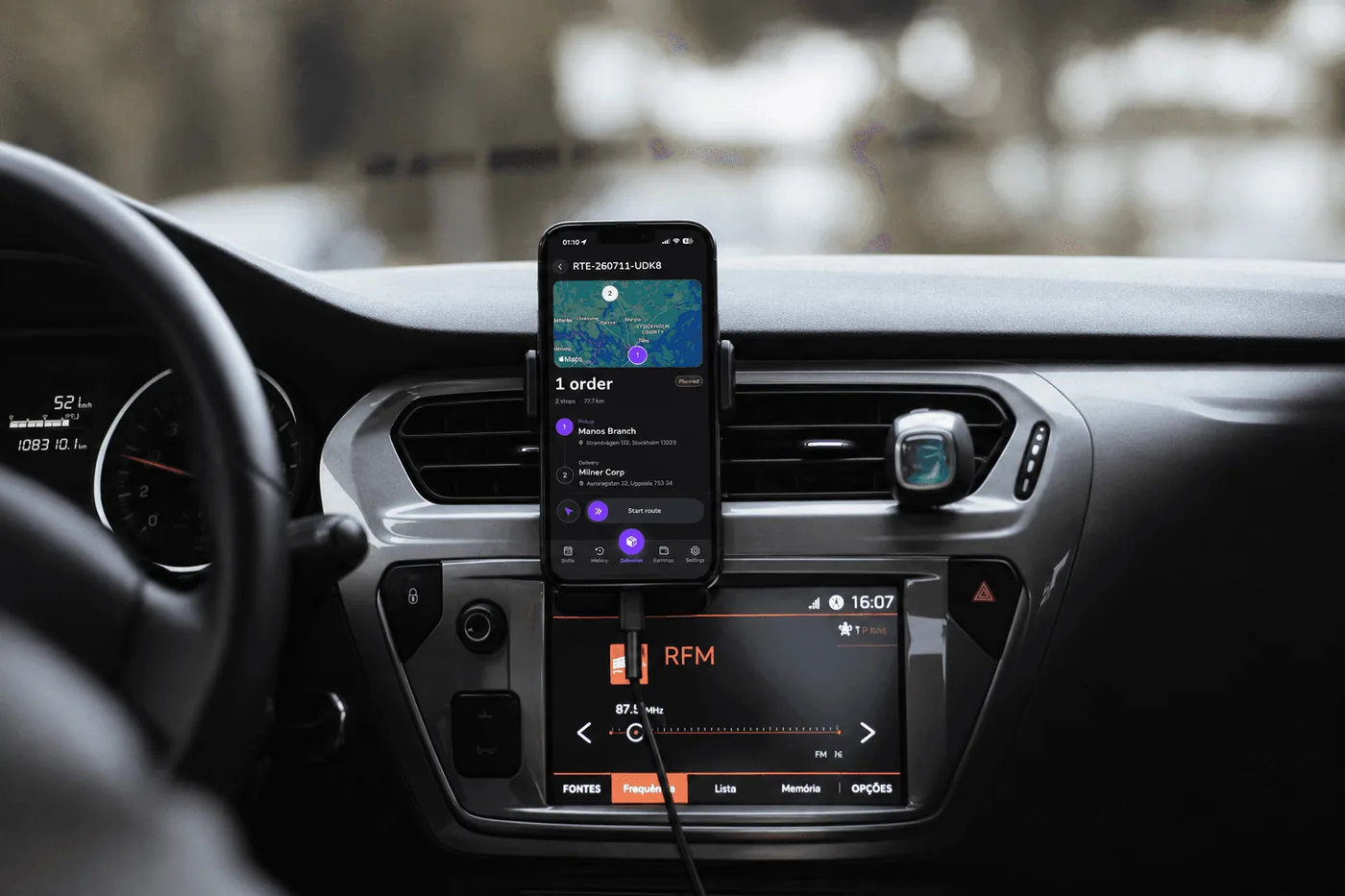
Univooz Go gives drivers a clear route, live order context, and the confidence to complete every stop on time, from one calm mobile workspace.
- Live route guidance from pickup to drop-off
- Order details and customer context at every stop
- Driver workflows built for fewer missed handoffs
Everything drivers need, right when they need it
From route execution to delivery proof, Univooz Go turns complex operations into a focused, dependable workflow.
Live route guidance from pickup to drop-off
Order details and customer context at every stop
Capture reliable delivery proof without slowing down the route
Stay connected to dispatch and customers when plans change
Surface important updates before they become bottlenecks
Build a clearer picture of route performance over time
One app for the whole shift
From booking a shift to getting paid, Univooz Go keeps every part of a driver's day in one place, connected to the same live plan your dispatchers see.
- 01
Book open shifts in the app and see your upcoming week at a glance
- 02
Clock in when your shift starts, so dispatch knows you are ready for orders
- 03
Follow your route stop by stop, in the order dispatch or AI routing planned it
- 04
Photograph each drop-off as proof of delivery before you move on to the next stop
- 05
Reach dispatch and customers quickly when plans change on the road
- 06
See your completed deliveries and earnings for every shift
Univooz Go FAQ
Answers to common questions about the Univooz Go driver app. Still stuck? Contact us.
What is Univooz Go?
Univooz Go is the driver app for Univooz. Drivers use it to book shifts, clock in, follow their route, see order details at every stop and capture proof of delivery.
Is Univooz Go available on iPhone and Android?
Yes. Drivers can download Univooz Go from the App Store on iPhone and from Google Play on Android.
Does Univooz Go cost extra?
No. Univooz Go is included with Fleet and Hybrid accounts, and drivers don't pay anything to use it.
How do drivers get started?
The fleet adds the driver in Univooz and collects documents such as licence, insurance and contract. Once the driver is approved, they download Univooz Go, sign in and can book their first shift.
How does proof of delivery work?
At each drop-off the driver takes a photo in the app. The photo is saved with the order, so the business can check it and download a proof-of-delivery PDF.
Put every driver on the same live plan.
Univooz Go is included with Fleet and Hybrid accounts, for iOS and Android.
Book a demo